



 Dec 11.2025
Entrepreneurs often wear multiple hats, balancing countless responsibilities that demand both time and precision. Automation unlocks precious hours previously consumed by repetitive tasks while significantly reducing costly mistakes. Through targeted automation for entrepreneurs, you can streamline key business processes—from lead nurturing to financial management—freeing your time to focus on growth, innovation, and strategic priorities.
This transformation is more accessible than ever thanks to intuitive platforms like n8n, which offer no-code workflow builders that seamlessly connect your apps and services. Incorporating solutions such as email marketing automation, social media scheduling tools, and invoice automation workflows enables you to scale operations efficiently and save hours each week. Real-world entrepreneurs using these n8n workflow examples experience improved accuracy, faster turnaround times, and notable boosts in productivity—transforming afternoon-long tasks into minutes of automated execution.
The following 10 ideas blend quick-start setup guides with practical workflow templates, equipping entrepreneurs—regardless of technical background—to automate effectively and grow sustainably.
Email marketing remains one of the most cost-effective channels for converting prospects into customers. However, manually managing follow-ups and segmented campaigns can quickly become overwhelming. Implementing email marketing automation allows you to send personalized, behavior-triggered emails effortlessly, significantly increasing engagement and conversion rates.
By integrating platforms like Mailchimp or ActiveCampaign with n8n, you can automate lead capture from your website and initiate tailored sequences such as welcome series, abandoned cart reminders, or re-engagement campaigns. For instance, a small e-commerce store reported a 25% increase in repeat purchases after automating triggered emails, while saving over 8 hours weekly previously spent on manual outreach.
Setting this up involves segmenting your audience, defining action-based triggers, and connecting your website forms to your email platform through intuitive n8n workflow examples—eliminating the need for manual CSV exports. Entrepreneurs typically spend 1–3 hours on initial setup and save 5–10 hours each week thereafter, yielding substantial ROI by boosting funnel conversions and customer loyalty. Further engagement gains come from dynamically customizing email content based on recipient behavior, making each interaction highly relevant.

Using social media scheduling tools and content calendars to streamline consistent posting and engagement.
Managing social media can become a major time sink, especially when juggling multiple platforms. Utilizing social media scheduling tools combined with automated workflows enables you to batch-create and schedule content efficiently, ensuring consistent online presence without constant manual input.
By connecting scheduling apps like Buffer or Later to n8n, you can automate content posting by pulling from your blog’s RSS feed or predefined content libraries. This allows you to schedule weekly or monthly posts with platform-specific adaptations for Twitter, LinkedIn, and Instagram. For example, one consultant automated monthly reposts of high-performing articles, resulting in a 30% boost in social engagement while regaining over 6 hours weekly.
The setup requires authenticating social accounts, designing a content calendar, and implementing an n8n workflow example that updates tracking spreadsheets and sends notifications when posts go live—allowing you to stay informed effortlessly. Initial setup may take 2–4 hours but saves 4–8 hours weekly in the long term, freeing up creative energy for strategic content planning. To maintain authenticity, avoid over-automation by routinely reviewing scheduled posts and adjusting for audience feedback.

Invoice automation streamlines financial tasks, reduces errors, and improves cash flow.
Manual invoice processing often creates bottlenecks, delays cash flow, and leads to errors that affect vendor relationships. Employing an invoice automation workflow using no-code tools like n8n can streamline data capture, approval routing, and payment status updates in real-time—eliminating manual entry and expediting financial operations.
Integrating OCR technology with accounting platforms such as QuickBooks or Xero enables automatic extraction of invoice data, triggering workflow steps that send Slack or email notifications for approvals and updating invoice statuses back into the system. One entrepreneur reduced invoice processing time by 60%, accelerating payment cycles and improving vendor satisfaction.
An effective n8n workflow example involves parsing invoice PDFs, mapping crucial fields, and calling APIs to create or update invoices automatically. Configuration generally requires 3–5 hours but can save over 6 hours weekly, making it a high-impact, time-saving automation. To protect sensitive financial data, ensure secure storage of API keys and implement role-based permission controls throughout your workflows.
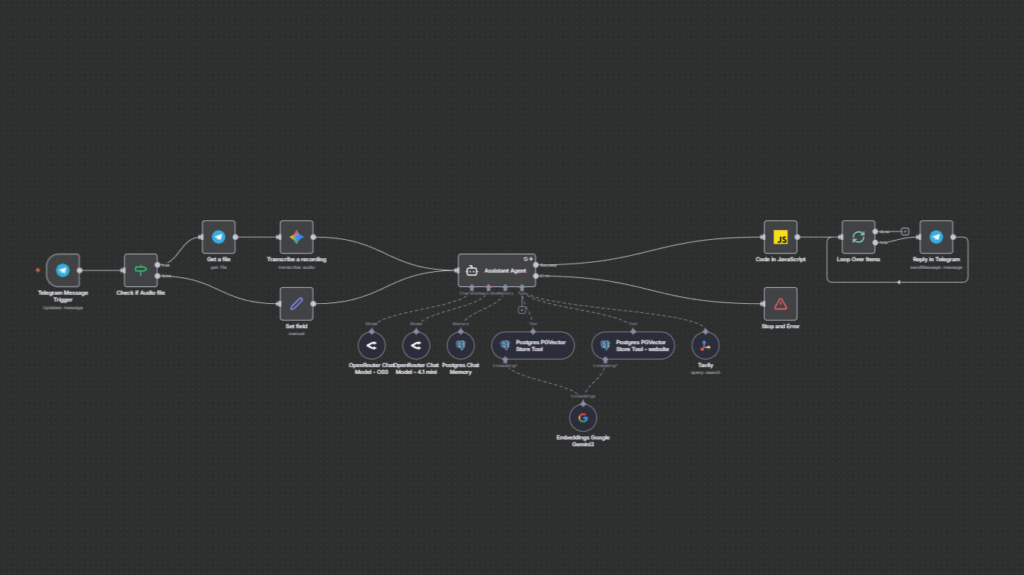
An n8n automation workflow showcasing seamless integration of Telegram messaging, audio transcription, AI models, database queries, and JavaScript processing for dynamic responses.
n8n stands out as a versatile no-code automation platform, ideal for entrepreneurs who want powerful automation without deep programming knowledge. It offers a rich library of n8n workflow examples that can be imported, customized, and deployed quickly—cutting down time spent on repetitive business processes.
Common templates automate lead capture from web forms directly into CRMs, synchronize data between Google Sheets and customer databases, or send daily task reminders via Slack or email. These workflows not only save hours on data management but also improve reliability through built-in error handling and audit trails.
The platform’s visual editor connects multiple applications—ranging from spreadsheets and messaging platforms to cloud services—into cohesive workflows. Typical setups take 1–2 hours per workflow and can save 3–6 hours weekly depending on task complexity. For users seeking extra customization without coding, n8n’s JavaScript node offers lightweight scripting options while maintaining ease of use.
With numerous automation opportunities available, prioritizing implementations based on actual time expenditure and business impact ensures your efforts deliver meaningful returns. Start by tracking where manual hours accumulate, such as routine customer emails or invoicing, and estimate the potential time saved through automation.
Focusing first on high-impact workflows that combine quick setup with significant ROI—like email marketing sequences or invoice processing—helps secure fast wins and builds momentum for further automation initiatives. Use simple dashboards or even automate KPI logging within n8n to compare pre- and post-automation metrics regarding time spent and error reduction.
This methodical, data-driven approach prevents wasted effort on low-yield tasks and guides entrepreneurs to scale automation thoughtfully, supporting sustainable growth and continuous process optimization.
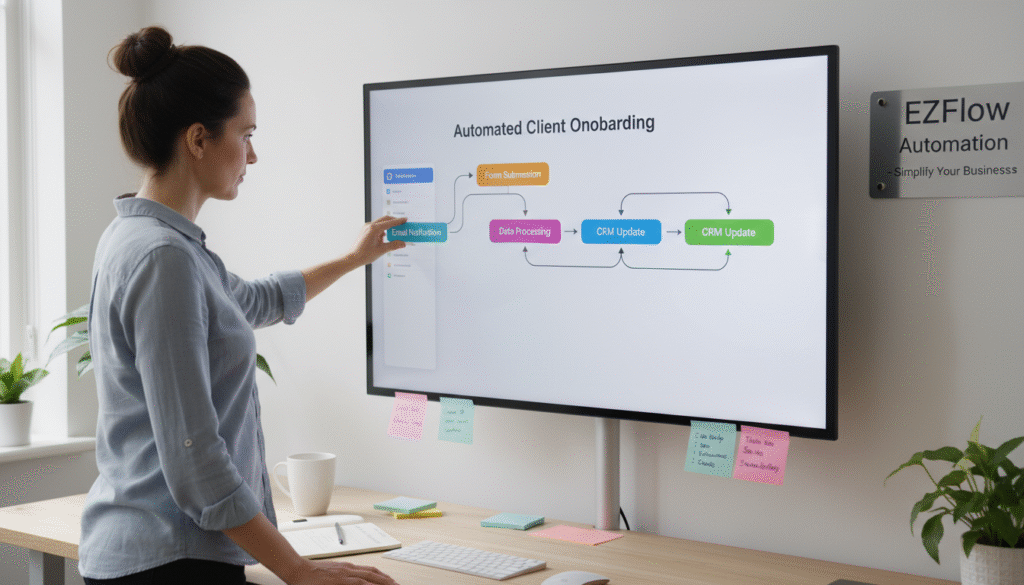
Simplifying business automation through user-friendly, low-code platforms.
Successful automation depends on robust integration with your existing CRM and ERP systems to maintain consistent and accurate data flow. Utilize APIs that support full CRUD (Create, Read, Update, Delete) operations, ensure precise field mappings, and validate data formats within your workflows.
For example, an n8n workflow might sync newly captured leads from a CRM, enrich contact details through external APIs, and update inventory or financial modules in the ERP using PATCH requests. Proper tracking of record IDs helps avoid duplicates and guarantees that updates correctly target existing database entries.
Before deploying live, thoroughly test integrations with sandbox data and implement comprehensive error handling to safeguard against discrepancies. Prefer webhooks over scheduled batch jobs for real-time data synchronization, enhancing freshness and reliability of business information.
Automation replaces error-prone manual data entry with standardized, auditable workflows that enforce process consistency and quality control. Each automated task follows preset protocols with mandatory checks, while systems log timestamps and status updates to maintain full traceability and transparency.
This standardization enables businesses to scale operations without proportional increases in staffing by assigning repetitive tasks—such as onboarding follow-ups or status reporting—to automated sequences. Visual workflow dashboards provide quick insights into bottlenecks or failures, empowering teams to take corrective action promptly and maintain seamless operations.
Such dependable automation frameworks allow entrepreneurs to expand their businesses smoothly while sustaining high standards of service and operational control.

Implementing security best practices ensures safe and compliant automation workflows.
When automating business processes, protecting sensitive customer, financial, and operational data is paramount. Always enforce encrypted API communications (HTTPS with TLS) to secure data during transmission and store credentials safely using environment variables or dedicated secret vaults supported by your automation platform.
Restrict workflow access through strict role-based permissions to minimize insider risks, and regularly audit activity logs to detect unusual access patterns or suspicious behavior early. Implementing multifactor authentication on accounts connected to your automation ecosystem adds an additional security layer.
Adhering to these security best practices ensures compliance with data protection regulations while enhancing trust among clients and partners, safeguarding your business reputation and continuity.
Offloading routine, low-value tasks through automation frees entrepreneurs’ time and cognitive resources to concentrate on high-impact areas such as business growth strategies, customer relationships, and product innovation.
Automating repetitive operations mitigates stress, reduces burnout risks, and guarantees that essential processes continue to run smoothly in the background—even during periods of intense activity or absence. This balance contributes to improved work-life harmony while driving consistent, sustainable business expansion.
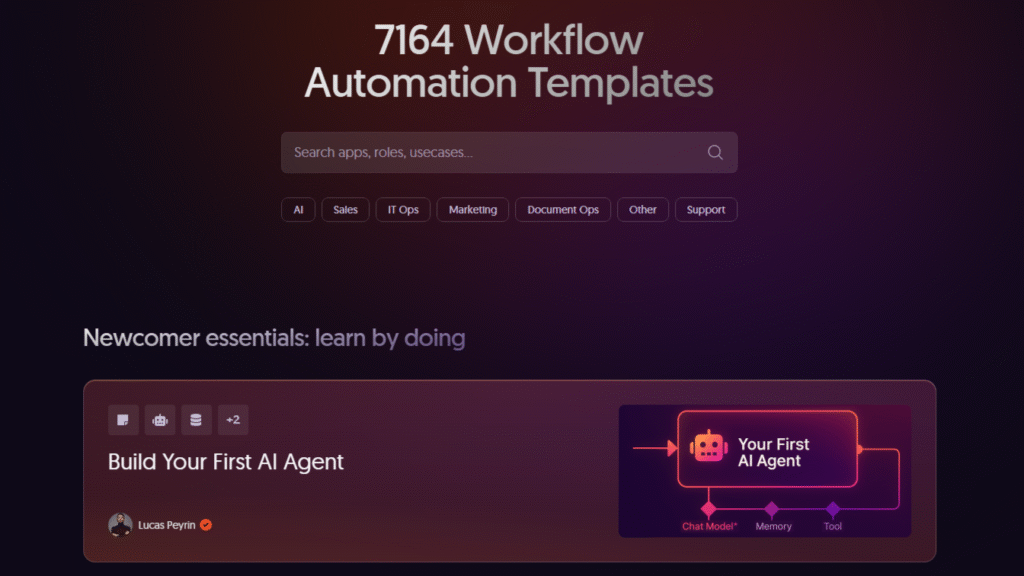
Explore 7,164 workflow automation templates and start learning by doing with the “Build Your First AI Agent” template by Lucas Peyrin.
Leveraging pre-built automation templates provides a fast track from concept to execution by delivering proven workflows ready for customization. Templates reduce trial and error, lower the technical barriers of entry, and serve as educational tools that demystify automation logic and best practices.
Resources like the n8n community library, Zapier marketplace, and vendor-specific recipe hubs offer a wide range of entrepreneur-focused templates covering sales, marketing, finance, customer support, and more. Starting with these templates accelerates initial time savings and builds confidence to design and deploy more complex automation flows in the future.
These 10 actionable automation ideas empower entrepreneurs to build efficient, dependable workflows that unlock time, increase productivity, and scale operations effectively. Leveraging versatile tools like n8n enables the creation of easy, no-code automations that optimize functions across email marketing, social media management, financial processing, and everyday repetitive tasks—transforming labor-intensive manual work into seamless, reliable systems.
Prioritizing automations based on ROI, ensuring strong CRM and ERP integration, and embedding security best practices establish a solid foundation for scalable growth. Offloading routine operations allows entrepreneurs to focus on strategic initiatives that truly drive value, supporting sustainable success while maintaining healthy work-life balance.
Looking forward, the entrepreneurs who excel will be those that not only adopt these automation technologies swiftly but also continuously refine and expand their workflows, anticipating evolving business needs and emerging tools. The challenge lies not in whether to automate but in how effectively you leverage automation to outpace competition, innovate continuously, and build resilient enterprises poised for the future.

